
Get your deleted photos back
Deleted something by mistake, or formatted the wrong card? Swoopty Rescue finds lost photos, videos and documents on memory cards, USB sticks and drives. Scan and preview for free; you only pay if you want everything back.
Windows 10 and 11 (64-bit) · 8 MB · version 1.0.0 · no install needed
Windows may show a warning the first time: here’s why, and how to open it.
Organise your photos in a few clicks
Thousands of photos in one messy folder? Swoopty Rescue now tidies them for you, free.
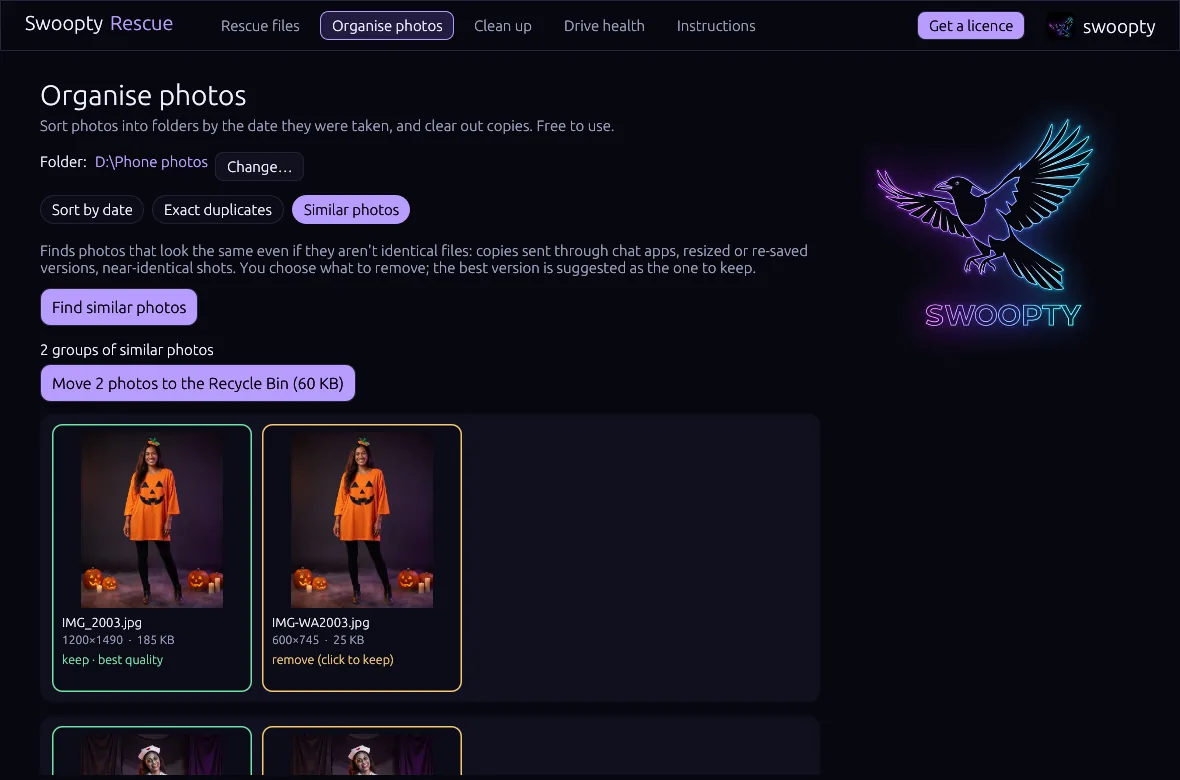
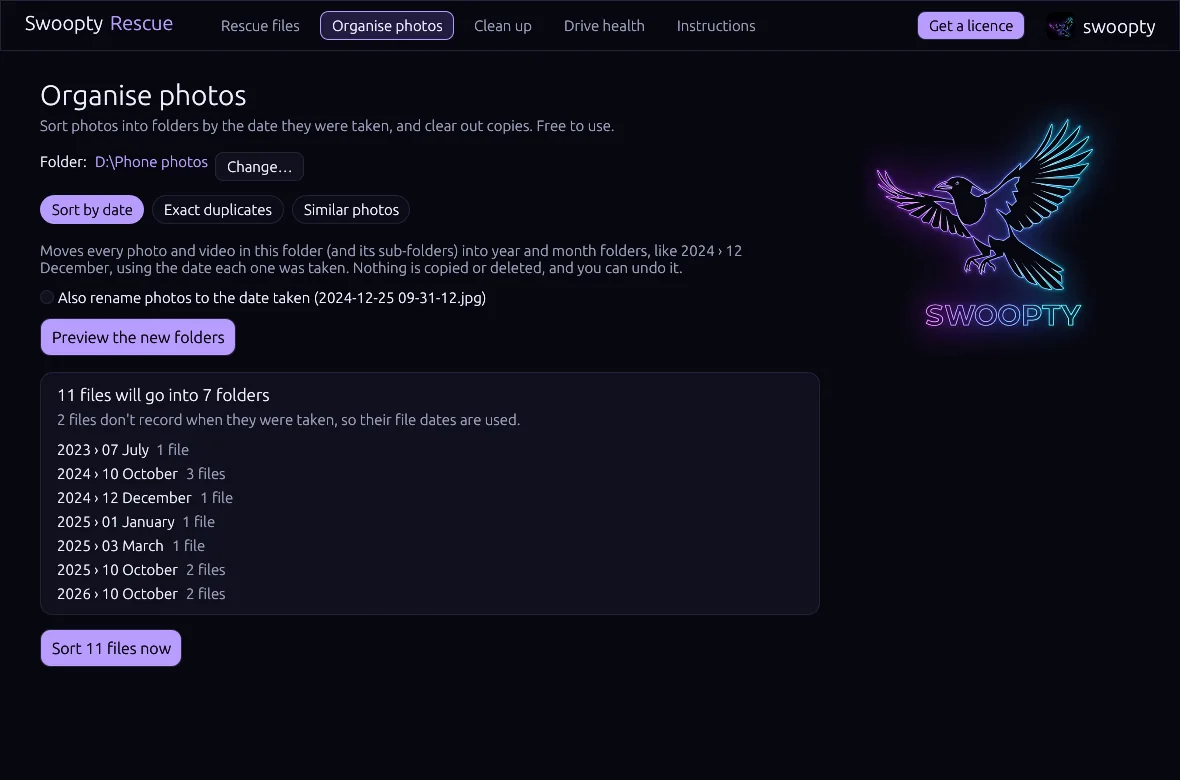
- Sort by date taken. Every photo and video goes into a year and month folder, like 2024 › 12 December. Preview the folders first, and undo it any time.
- Remove exact duplicates. Byte-for-byte copies are found safely; the oldest is always kept.
- Find similar photos. Spots look-alike copies, such as photos sent through WhatsApp or re-saved smaller, and shows them side by side with the best version suggested.
Rescued some photos? One click sends them straight to the organiser. Anything you remove goes to the Recycle Bin.
Rescue files
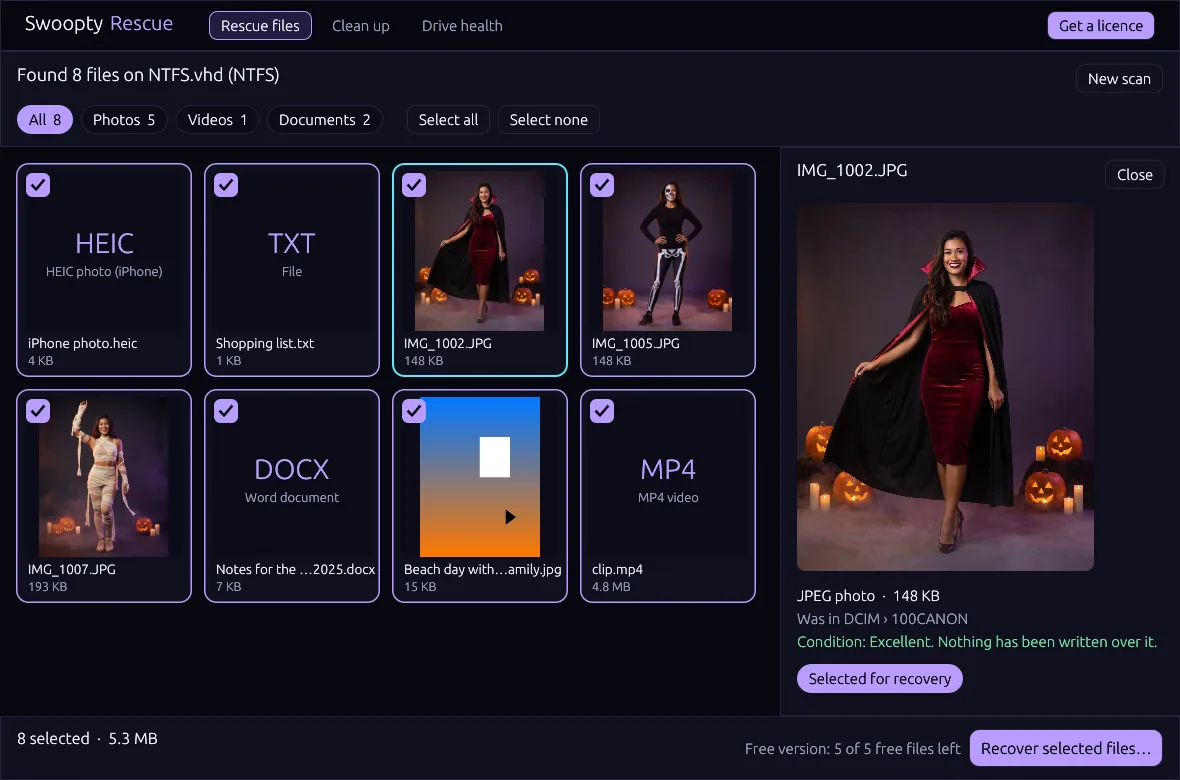
Reads the drive’s own file list to bring deleted files back with their original names and folders, rated Excellent, Poor or Overwritten so you know what to expect. A deep scan then finds photos and videos even after a format.
FAT, exFAT and NTFS drives · photos (JPEG, PNG, HEIC from iPhones, camera RAW), videos (MP4, MOV), PDF, Word, Excel, ZIP and more
Clean up (free)
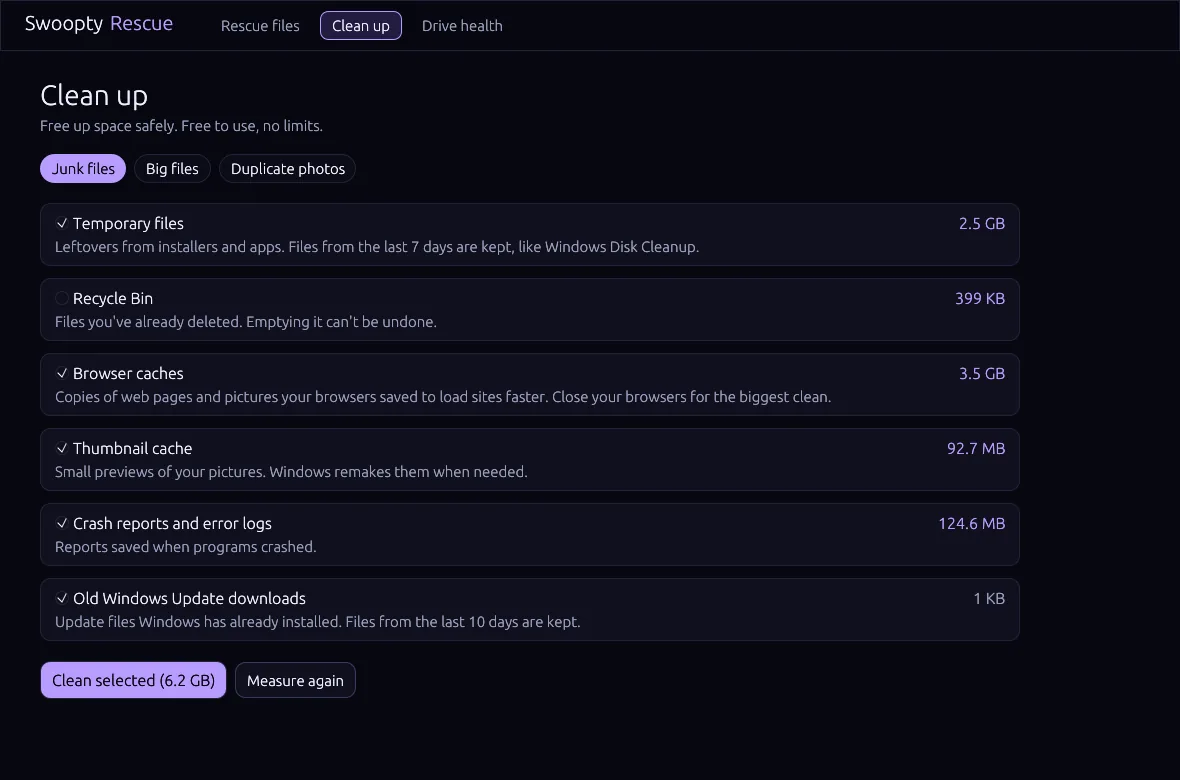
Clear gigabytes of temp files and browser caches, and find the big files filling your drive. Big files you choose go to the Recycle Bin first.
Drive health (free)
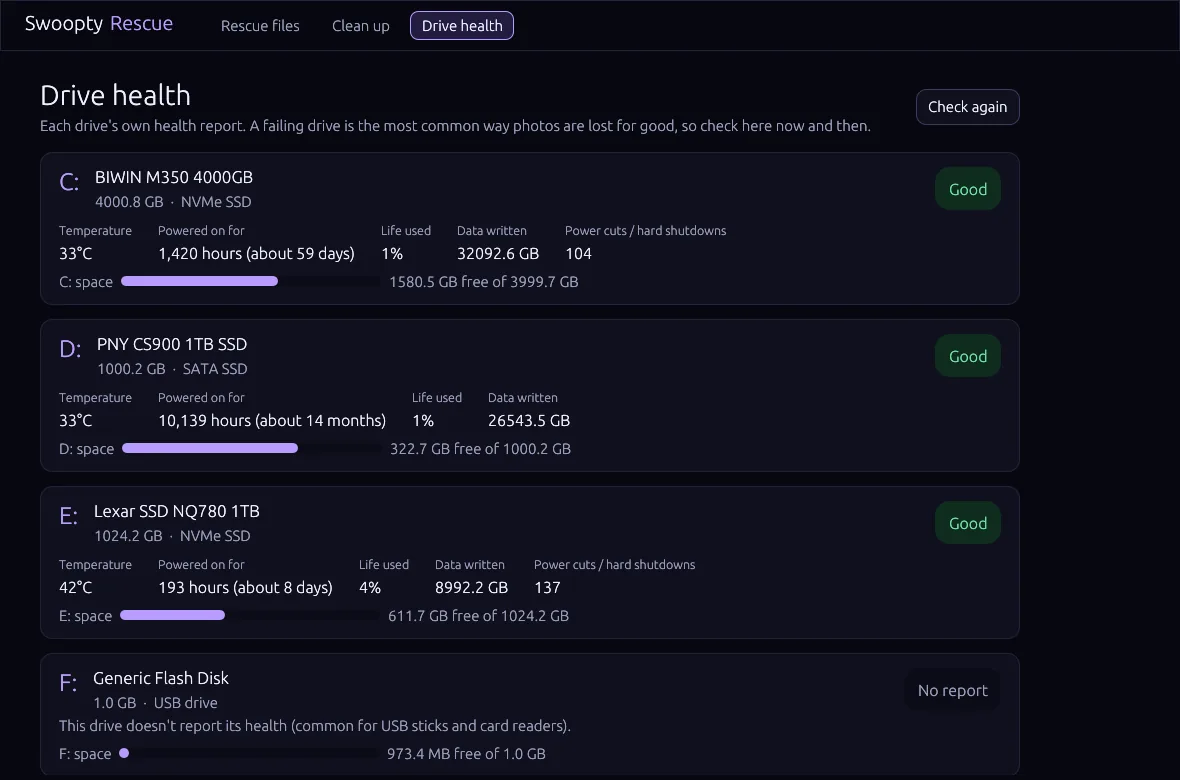
Reads each drive’s own health report: temperature, hours used, wear and bad sectors. It tells you plainly when to back up, before a failing drive takes your photos with it.
Safe by design
Swoopty Rescue only reads the drive you scan; it never writes to it, and it won’t save rescued files onto the same drive (that could overwrite the very files you want back). It works offline: your files never leave your PC.
“Windows protected your PC”: why you might see this
When you first open Swoopty Rescue, Windows may show a blue warning. It appears because the app isn’t digitally signed yet. A digital signature is a paid certificate that tells Windows who made an app, and Windows warns about any new app without one, however safe it is. The warning doesn’t mean anything was found wrong with Swoopty Rescue.
Windows protected your PC
Microsoft Defender SmartScreen prevented an unrecognised app from starting. Running this app might put your PC at risk.
More info
Windows protected your PC
Microsoft Defender SmartScreen prevented an unrecognised app from starting. Running this app might put your PC at risk.
App: SwooptyRescue.exe
Publisher: Unknown publisher
Swoopty Rescue is safe to run
- It only reads the drives you scan. It never changes or deletes anything on them; Clean up removes only the junk you choose.
- It works offline: it doesn’t send your files, file names or drive details anywhere, and it has no ads or tracking.
- It’s a single app file, with no installer and nothing added to start with Windows.
- It’s made in Australia by Swoopty, the same people as this website. We’re getting it signed so the warning goes away.
Free
A$0
- Scan any drive and preview everything it finds, plus your first 5 files recovered free
- Organise photos: sort by date taken, remove duplicates and look-alike copies
- Clean up: junk files and big files
- Drive health: warns you before a drive fails
Swoopty Rescue licence
A$29 once
- Unlimited recovery, every file the scan finds
- Use it on up to 3 of your PCs
- One payment. No subscription, no account
- Free updates for version 1
Payments are handled by Stripe. Swoopty never sees your card details.
Questions
Will it get my photos back?
Often, yes, especially from memory cards and USB sticks. The free scan shows exactly what can be recovered before you pay, with a rating for each file. The most important thing: stop using the card or drive until you’ve rescued your files, because new photos can overwrite deleted ones.
What can’t it do?
Files whose space has been reused are gone, and internal SSDs in most laptops erase deleted files within minutes (a feature called TRIM), so recovery there is rarely possible. It can’t fix a drive that’s physically broken or isn’t detected by Windows; that needs a data recovery lab.
Windows says “Windows protected your PC”
That’s because the app isn’t digitally signed yet. Click More info, then Run anyway. See the pictures and why it’s safe.
Why does it ask for permission?
Reading a drive directly (to find deleted files) and reading drive health reports need administrator permission in Windows. Swoopty Rescue asks only when you scan a drive or check health.
I lost my licence key
Mac or phone?
Windows only for now. You can still rescue a phone’s memory card or a camera card with a card reader on a Windows PC.
Can I get a refund?
Your rights under the Australian Consumer Law always apply. If it doesn’t work as described, contact us and we’ll fix it or refund you.
Swoopty Rescue is made in Australia by Swoopty. Prices are in Australian dollars.